
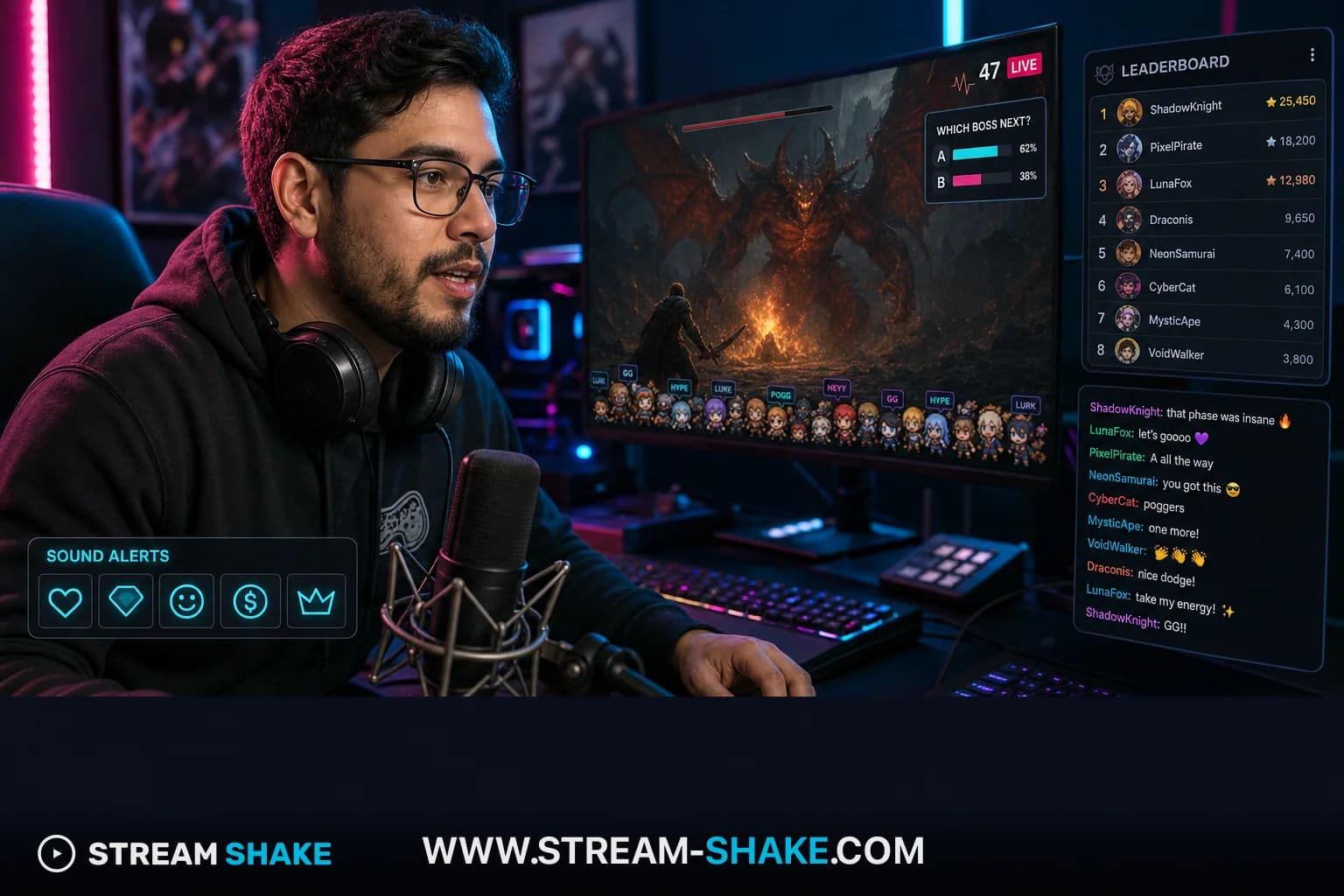
Twitch Extensions are interactive web apps embedded in your channel page — limited to one overlay, two components, and three panels. In 2026, the best setup for most streamers is one retention-focused overlay or component (for example Sound Alerts or Crowd Control), two utility panels, and Bits-in-Extensions priced for quick participation — that combination routinely lifts average watch time by roughly 25% when the extension matches your category.
In 2026, streaming is no longer a one-way broadcast. The channels that grow on Twitch in a market where 72% of channels still sit below five average viewers are the ones that treat extensions as core product, not garnish. A Twitch Extension is a sandboxed web app embedded in the stream UI — a tiny piece of software your viewers can touch in real time. Used well, it converts lurkers into participants, participants into Bits-payers, and Bits-payers into long-term community members.
Why extensions matter (by the numbers)
+90%
Recall lift
Interactive vs passive formats
+25–27%
Average watch time
Extensions vs no-extensions sessions
64%
Devs monetizing Bits
Bits-in-Extensions, 2024
80 / 20
Bits split
Streamer / developer
How do Twitch Extensions work technically?#
Every extension is a web app that runs inside an iframe sandbox on the channel page. Communication between extension code and the parent Twitch page goes through a JavaScript bridge called the Extension Helper, which uses `postMessage` to ship data between the parent frame and the embedded child frame. That isolation is what lets devs ship React, Svelte or vanilla JS without leaking access to viewer accounts.
Twitch enforces slot limits so the channel page does not turn into a flashing UI casino. The constraints are not bureaucratic — they are the reason your stream is still watchable on a mid-range phone.
| Type | Active slots | Placement | Use cases | Visibility |
|---|---|---|---|---|
| Overlay | 1 | Transparent layer above the video player | Mini-games, click heatmaps, on-screen FX | Live only · covers the gameplay feed |
| Component | 2 | Anchored UI inside the player | Loadouts, in-game stats, interactive maps | Viewer can collapse · partial screen real estate |
| Panel | 3 | Below the player (the "About" rail) | Leaderboards, schedules, merch shops, social links | 24/7 — including offline · never blocks the stream |
Why do extensions increase engagement and watch time?#
Extensions work because they answer a human need that television cannot: two-way recognition. Social Presence Theory says that interactive cues — instant reactions, animated gifts, visible "I was here" markers — manufacture emotional warmth in a digital environment that would otherwise feel flat. Every time a viewer clicks a Sound Alert button and the streamer reacts on camera, an engagement loop closes: action → feedback → reinforcement → next action.
“Once a viewer becomes responsible for something on your stream — reminding you to drink water, voting on the next difficulty — leaving the stream starts to feel like leaving a team.”
This is the difference between a "viewer" and a "co-creator". Tools like Crowd Control take the psychology to its extreme — viewers can spawn enemies, hand out buffs or slow the character mid-fight — and the result is measurable: a Dead Cells case study reported an 848% lift in hours watched on streams using the integration.
How does Bits revenue work inside extensions (80/20)?#
Most Twitch monetization conversations stop at subs and donations. Extensions add a third lane: Bits spent inside the extension itself. When a viewer cheers Bits to trigger an extension feature, Twitch splits the revenue 80% to the streamer and 20% to the developer. In 2024, more than 64% of developers shipping Bits-in-Extensions reported real revenue — the market is past the "experimental" phase.
Four levers that grow Bits revenue
Stack these — they compound; any one of them alone leaves money on the table.
- Default configuration: streamers never finish setting things up. Extensions that are usable and monetizable the moment they are installed beat extensions that require an hour of configuration.
- Personalization & recognition: viewers pay Bits for cosmetics that visibly identify them — unique chat-message frames, custom animations, color-highlighted names.
- Scarcity & urgency: time-boxed offers tied to events (birthday stream, game launch, holiday) activate FOMO and lift transaction volume.
- Streamer-initiated discounts: a "Happy Hour" button the streamer can press on-air to discount Bits costs converts wavering viewers into paying ones. It also turns the monetization moment into a community event.
Category fit: where extensions earn the most in 2025–2026#
Not every extension belongs in every category. The hot 2025 data was clear: while overall Twitch hours dropped from 20.9B to 19.0B, interactive niches grew. If you stream in one of these, you have more room than the headlines suggest.
| Category | YoY growth | Avg revenue per viewer-hour | Competition (1–10) | Best-fit extensions |
|---|---|---|---|---|
| Just Chatting | -9.33% (saturated) | $0.10 – $0.80 | 9 | Polls, mini-games, social integrations |
| IRL / Lifestyle | +105.65% | $0.18 / min (Bits) | 6 | Maps, location tags, activity trackers |
| VTubing | +189% | $1.24 / hr (Superchat avg) | 5 | Avatar control, AI interactions |
| Retro Gaming | +18% | High (subscription-led) | 4 | Crowd Control, leaderboards, retro FX |
| Creative Arts | +8% | Medium | 3 | Portfolios, Suggestion Box, timers |
Three extensions that became industry standard#
Sound Alerts — the "first interactive minute"
Sound Alerts is the canonical first extension for a reason: setup is under ten minutes and it instantly kills "dead air" by giving viewers a sanctioned way to be heard. Viewers spend Bits or channel points to trigger sounds you have curated; you keep editorial control. The retention pattern is immediate: lurkers who would never type in chat will happily click a button.
Crowd Control — viewers as a second player
Crowd Control supports more than 100 games (Minecraft, Zelda, Elden Ring, 7 Days to Die) and is the strongest "co-creation" tool on the platform. Viewers spend Bits to spawn enemies, hand out buffs, or slow the player. The Dead Cells number above (+848% watched hours on integrated streams) is the headline; the deeper effect is identity — viewers brag in chat about what they did to your run.
Stream Avatars / Bob Mob — making lurkers visible
Avatar extensions place a tiny on-screen character for every viewer who joins. It looks silly. It works because it converts the silent majority into a visible community — the room feels full even when chat is calm. Critical retention tool for channels with many "lurkers".
UX & accessibility: don't fill every slot just because you can#
Overlay overload — too many UI elements competing with the streamer's face — is the most common cause of viewer churn from "extension-heavy" channels. A few rules avoid it.
- Panels max out at 318px wide × 496px tall. Honor a 10px internal padding so text stays legible.
- Test in dark and light mode (Twitch users do switch). Use background #201c2b for dark and #fff for light.
- Test on mobile — most discovery happens there. If an overlay covers the streamer's face on a 5.5" screen, redesign it.
- Generate captions automatically (Stream Closed Captioner). It expands your audience to deaf/hard-of-hearing viewers and silent-watchers.
- Avoid bright flashing elements. Photosensitive epilepsy is a real accessibility line — flashing extensions can trigger seizures.
The frontier: AI assistants, AR overlays and smart-home IoT#
Extensions in 2026 are no longer just on-screen UI — they are the bridge between the broadcaster and the physical room. Two vectors are shaping the next 12 months:
AI co-pilots and clip factories
- ai_licia, Algochat.io, Neuro Sama: listen to the stream and reply in chat to keep conversation alive when the streamer is concentrating.
- Eklipse: detects high-emotion moments and auto-generates short-form clips for cross-platform distribution.
- Adaptive chatbots: tune tone to a specific viewer's history, offering relevant lore drops or callbacks.
Viewer-controlled physical room (IoT)
- Lumia Stream + Govee / IFTTT / Nanoleaf / Philips Hue: lights change color on subs, raids or game events.
- Bits-triggered hardware: viewers can fire smoke machines, fans or even water guns through chat commands.
- Pulsoid: pipes the streamer's live heart-rate into the lights — synchronizing the room with horror beats in real time.
Analytics: the five KPIs that tell you which extension to keep#
Installing a popular extension is not a strategy. You measure it, then keep or kill it. Twitch's Dashboard and the Twitch Creator Dashboard expose the right signals.
| Metric | Data source | Why it matters |
|---|---|---|
| Unique Active Users | Dashboard › Extensions | How many distinct viewers actually interacted. Low number = invisible or unclear extension. |
| Interaction Rate | Insights API | Clicks ÷ views. High rate = the extension earned its slot. Low rate = redesign or remove. |
| Bits Revenue per Session | Channel Analytics | Tracks "fatigue": when an extension stops monetizing, viewers got bored. Time to refresh. |
| AWT delta | Stream Summary | Average watch time on sessions with vs. without the extension active. The retention number that matters. |
| Authorized Viewers Ratio | Twitch Creator Dashboard (until July 2025) | Ratio of authorized vs. anonymous viewers — useful sanity-check against view-bot inflation. |
Global context: where Twitch sits in 2026#
By 2026 the streaming market is fragmented. Twitch holds about 14.6% of total streaming watch time (YouTube Live ~45%, TikTok Live ~31.2%) — but it still leads on depth of interactivity, which is exactly where extensions matter. The audience skews male (72.9%) and young (72% under 34), which biases extension R&D toward competitive gaming, high-tech and meme culture. The rise of "habitual" direct traffic also explains why panels — the always-on, offline-visible slot — matter more than they get credit for.
New monetization formats — Picture-in-Picture ads, Treasure Train bundles, the expansion of the Partner Plus 70/30 split — lower the barrier to revenue. That means extensions stop being a Partner-tier luxury and start paying off for Affiliate-tier streamers too.
The implementation playbook (copy this)#
Five rules to install + manage extensions like a pro
- One overlay maximum: never fill more than one overlay slot at a time. Your face is the product; the overlay is the garnish.
- Test in incognito: always open your own channel in a private window before going live. That is what the viewer sees — your moderator-tier vision is misleading.
- Use the Allowlist: for custom extensions from third-party devs, use Hosted Test mode and add trusted mods as testers before a real release.
- Brand-match the moments: custom sounds and animations triggered by extensions should match your channel's visual identity. Generic libraries dilute the brand.
- Never go silent on a triggered moment: a viewer clicks something and you stay silent — they almost never come back. React, name them, thank them. That is the retention loop.
Run the playbook for 30 days and look at AWT and Bits per session before / after. The data, not the marketing, decides which extension stays.
No credit card. ToS-safe mutual viewing network — works alongside any extensions.
Key definitions — extensions, Bits, retention#
- Bits
- Virtual goods viewers use to Cheer in chat; streamers earn a share. Signals support without committing to a full subscription.
- Overlay / alerts
- Graphics and pop-ups layered on gameplay/cam feed (OBS/Streamlabs): alerts for follows/subs/bits, BRB scenes, webcam frames. Readable mobile-safe layouts outperform busy "full RGB" rigs.
- Panels
- Custom HTML/info blocks below the video player — schedule, PC specs, rules, Discord, tip link. Writers and AI summaries often scrape them for FAQs.
- AutoMod
- Twitch-built keyword / rules filter that holds risky chat messages before they appear. Pair with human mods for culture-specific edge cases bots miss.
- Retention
- How long new clicks stay on the stream. You can buy attention with a good title, but you earn watch time with a watchable stream.
- Average Concurrent Viewers (ACV)
- Your most important "floor" metric. When ACV rises over time, Twitch discoverability tends to improve with it.
- Peak concurrent viewers
- The highest simultaneous viewer count during a single stream. Useful as a morale metric; long-term decision-making usually leans more on steady ACV and retention.
- Lurker
- Someone watching without chatting — totally normal. Calling them out aggressively can chase real viewers away; light, optional hellos beat guilt-tripping.
Frequently asked questions#
How many Twitch Extensions can I run at once?
One overlay, two components, and three panels — that is the Twitch-enforced ceiling. The limit exists to keep the channel page performant on lower-end devices. Most successful streamers run well below the ceiling and choose extensions that earn their slot.
How does Bits revenue split work inside extensions?
80% of Bits spent inside an extension goes to the streamer, 20% to the developer. In 2024 more than 64% of developers shipping Bits-in-Extensions monetized, so the market is past the experimental phase — viewers are willing to pay for interactive experiences.
Are AI chatbot extensions allowed on Twitch?
Yes, with the same rule as any other AI on Twitch: it is fine when it assists you, but disclose automation and never let a bot impersonate a human viewer or simulate engagement. Tools like ai_licia or Algochat work best as an assistant during quiet chat moments.
Do extensions actually increase watch time?
Industry data on interactive formats reports roughly +25–27% average watch time and up to +90% recall lift versus passive viewing. The headline case study — Crowd Control on Dead Cells — reported +848% hours watched on integrated streams. Your mileage will depend on category fit and execution.
Will extensions slow my channel page or stream?
Each extension runs in an isolated iframe, but they still execute JavaScript on the viewer's device. Heavy or poorly-built extensions can degrade mobile performance. Always test on mobile and a low-spec laptop, and remove anything that drops your AWT.
What is the safest first extension to install?
Sound Alerts. It is the canonical "first interactive minute" tool — setup is under ten minutes, the configuration is simple, and it instantly converts lurkers into participants without any of the risk profile of viewer-controlled gameplay tools.